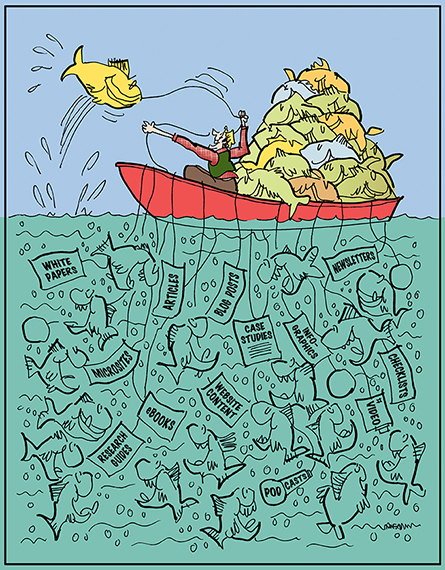
I recently did an illustration for The Partner Channel Magazine, for an article on the importance of using sales and social media tools to attract customers. Here’s the final:
Nothing like using the right bait. Here’s a detail image of our successful angler:
And another detail image for all you cartoon fish fans:
I finish my illustrations in Photoshop, and I use non-destructive techniques to get certain lighting effects. By non-destructive, I mean I seldom erase or permanently alter anything– I can always get back to where I was.
Here’s what the illustration looked like early on. It’s a bit shocking to see how flat all the colors are.
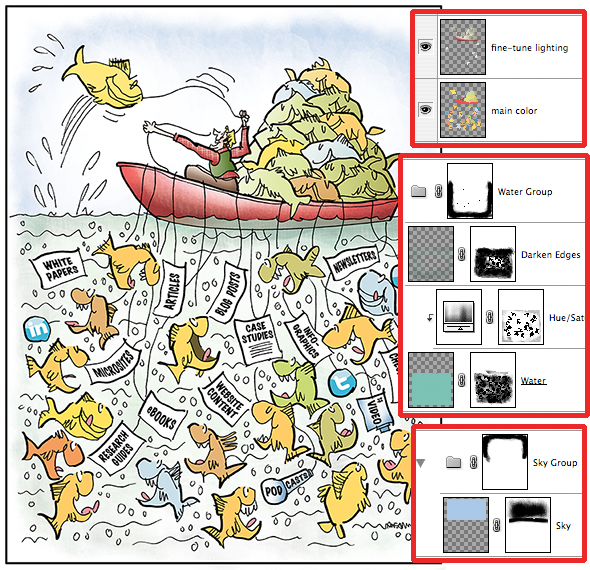
Here’s the adjusted illustration, along with three sections of the Photoshop Layers Window which suggest how the lighting effects were achieved.
The “main color” layer would have included the flat colors for the fisherman’s clothes, the boat, and all the fish. The “fine-tune lighting” layer was originally completely empty, with layer mode = Normal. I selected this layer, then selected each object in turn (fisherman’s vest, his pants, the boat, etc), and used a soft brush with mode set to Screen or Multiply to lighten or darken colors, respectively.
Same basic idea for the water. The Layers Window does show one additional effect: a Hue/Saturation adjustment layer to change and lighten the color of the water. You can see how heavily masked the water layers are (the blackish areas in the second rectangles); that was to reduce water color to a minimum so the fish could be clearly seen.
Masks were used exclusively to lighten the sky and eliminate its hard edges. And that’s an interesting point: sometimes a simple mask is all you need to lighten a color and give an area a softer edge.
What do you think? I do all my fishing at the supermarket. How about you– do you enjoy the “reel thing”? Ever had a time when you couldn’t reel them in fast enough? I’m sure there are other sales and marketing tools– got any you’d care to share? Hope you’ll leave a comment.
If you enjoyed this post, I invite you to get updates. Just click the Get Updates button in the sidebar below the Portfolio Thumbnails, or click + Follow in the blog menu bar.
Other Posts You Might Enjoy:
Eyes In The Night: A Street Corner You Don’t Want To Hang Out On
About Face: Some Thoughts On Redesigning My About Page
Header Look Better When Color Picks Click