Draw A Rough Sketch First: It’s The Thinker Thing To Do!!
I’m always checking out Photoshop tutorials, trying to learn new tricks. I found one recently that certainly seems appropriate for this Halloween post. It’s called Create A Spooky Scarecrow Wallpaper Using Photoshop. Author: Santhosh Koneru.
Like most Photoshop tutorials, it begins with a shot of the final image:
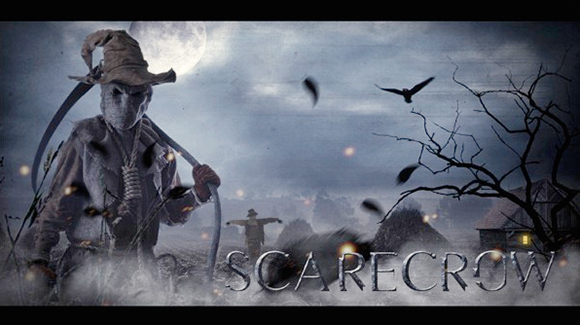
It’s an excellent photo manipulation tutorial, but what makes it unique in my experience
is the author’s first step: doing a rough sketch. See what you need, then look for photos.
I’ve looked at a lot of tutorials, but this was the first to say: work out your idea first. It’s
a good habit to get into, because in the case of actual illustration assignments, an art director will ask for sketches– you’ll need to get one approved before you can proceed
to the final. Here’s Mr. Koneru’s rough sketch: 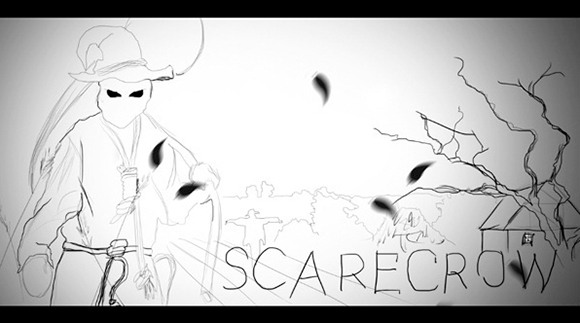
Having worked out the concept, he then goes looking for photos. He begins with this shot of a harvested cornfield which he found on stock.xchng.
He pastes in this scarecrow image from deviantART, then continues to add bits and pieces of photos, building his illustration in layers.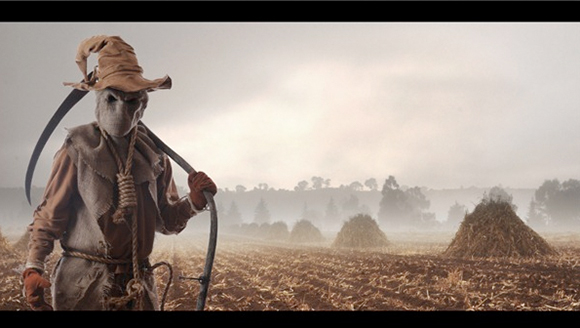
Recently I was asked to illustrate the concept of cloud computing. I’d heard the term, but didn’t know what it was. After doing some research, I sketched out some ideas and sent them to the art director as B&W GIFs. She approved the following sketch. (The final had to be slotted into a horizontal space, hence the elongated shape.)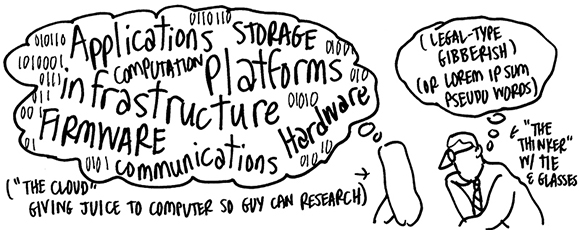
I then started rounding up images, like this photo of Auguste Rodin’s famous sculpture, The Thinker.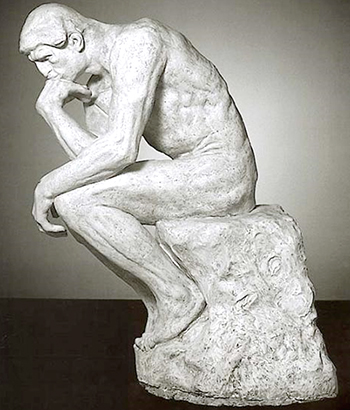
One by one, I added each photo element to my illustration.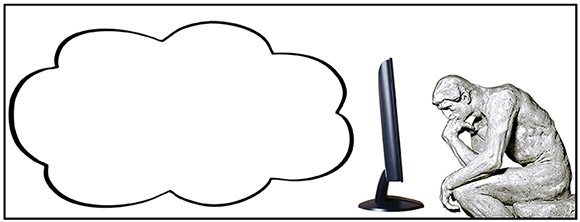
Here’s the final: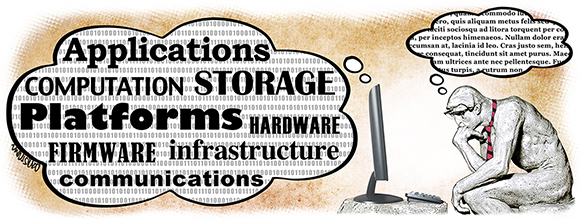
I hate to admit it, but I have done some personal photo-illustration projects where I ignored this wise rule. Instead of taking the time to work out my concept, I went looking for photos first, hoping an idea would occur. Dumb approach. Sometimes you get lucky, but more often than not you box yourself in, allowing the photos to dictate terms and restrict your imagination.

What do you think? Does it make sense to think first, Photoshop second? Had any experience along those lines? Hope you’ll leave a comment.
If you enjoyed this post, I invite you to subscribe. You can either leave a comment
and click the box that says Notify me of new posts via email, or click on the Subscribe button below the Portfolio Thumbnails in the sidebar at the top right of this page.
Other Posts You Might Enjoy:
My Congress Daily political cartoons, 2007-10 (12 image sampler)
Pardon, May I Reposition Your Eye? It’s Slightly Out Of Focus
Header Look Better When Color Picks Click