Drawing Board: Who’s That Man Hiding In The Brushes??
I do a weekly political cartoon for Congress Daily. Somewhere along the line, this feature became known as The Drawing Board. I created the following graphic for a projected redesign of the Congress Daily website. Scroll down for a condensed version of the construction sequence in Photoshop. Here’s the original line drawing which I scanned into Photoshop:
 I pasted a photo of myself into the drawing and used Photoshop’s Warp tool to stretch the face and give it roughly the same size and shape as the large brush tip:
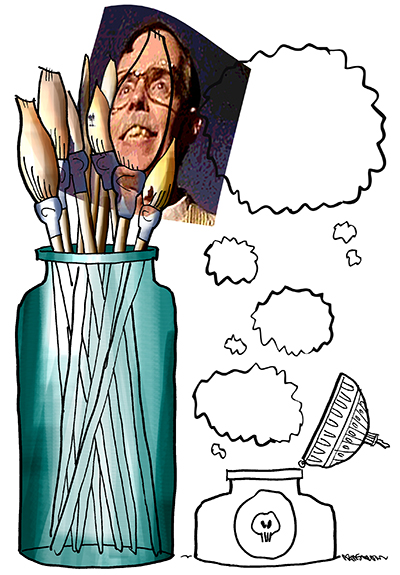 I selected the brush tip area, inverted the selection, and deleted the unwanted portion of the photo:
 I added a New Layer, selected the large brush tip, and painted over it with a Photoshop brush set at low opacity using some of the same colors used for the other brush tips. This created the illusion of a ghostly face manifesting itself within the large brush tip:
 For the large uppermost ink blot, I put both the “black ink” and the white “Drawing Board” text on separate layers:
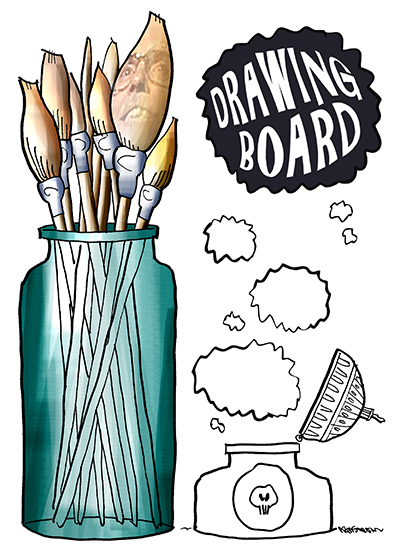 I then applied a Layer Style to the “black ink” layer. I experimented with the settings, and finally chose those shown below:
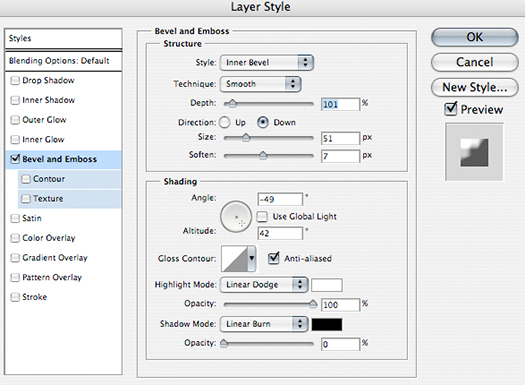 This created the effect of reflected light along the top edge of the ink blot:
 I added similar reflected light effects to the other ink blots, but I wasn’t entirely satisfied with the finished illustration:
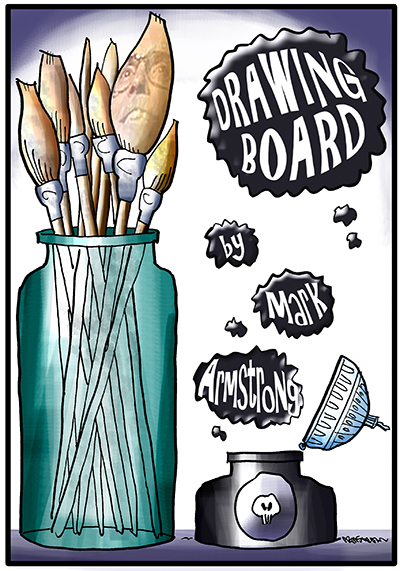 After flattening the image, I used the Scale tool to enlarge the lower three “text blots,” and then repositioned them slightly. This improved the overall balance of the image, and made the text more legible. Here’s the final:


